Upload2Shell: Ghostscript Bug Turns Image Uploads Into RCE. Patch to 10.08.0
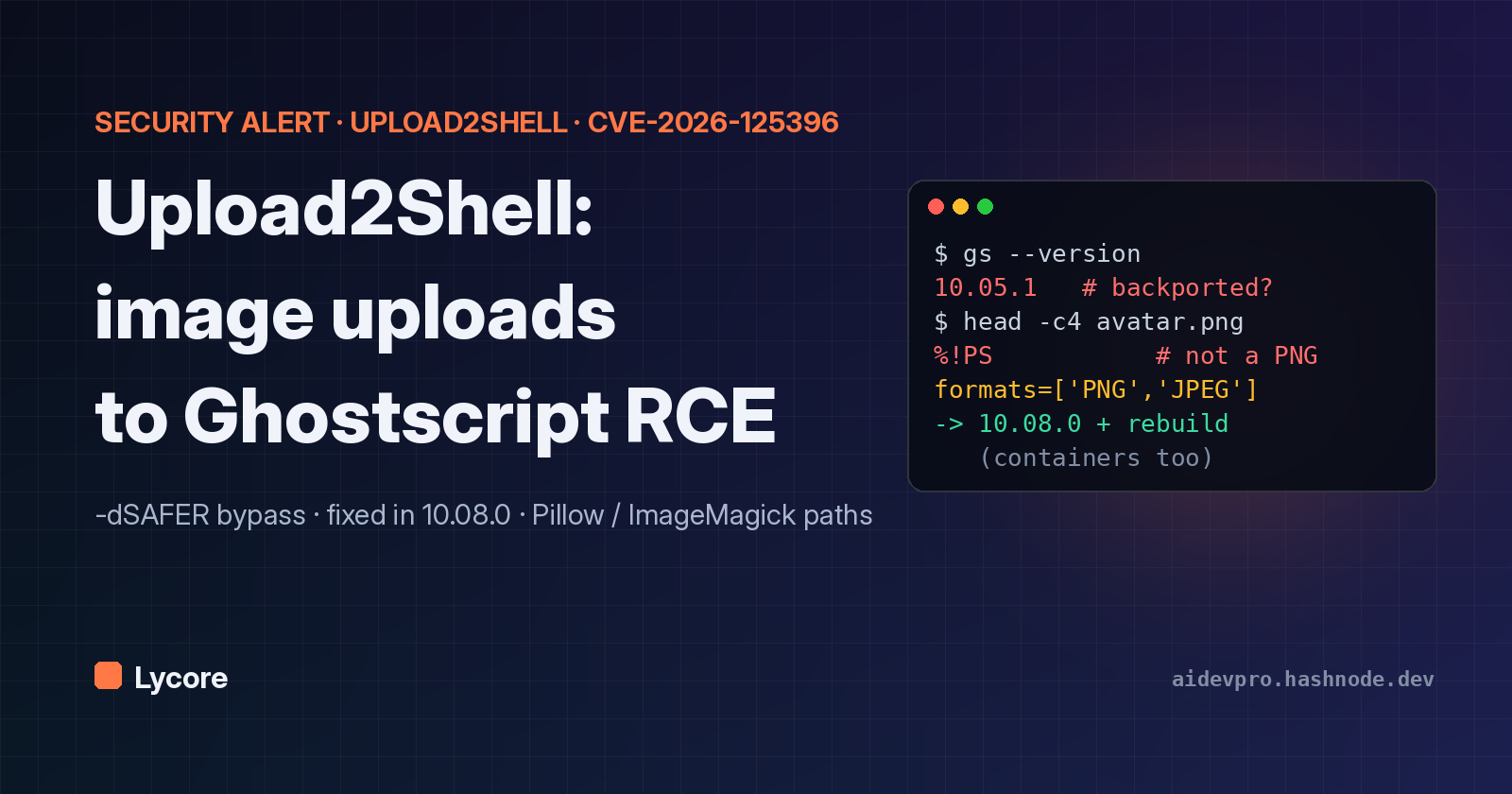
On November 21, 2026, the security firm pwn.ai published Upload2Shell, a full write-up of CVE-2026-125396: a bug in Ghostscript's Type 1 font loader that lets a crafted PostScript or PDF file break out of Ghostscript's -dSAFER sandbox and run commands as the rendering process (pwn.ai; research write-up). Oracle's Alan Coopersmith posted it to oss-security the same day (oss-security, Nov 21), and The Hacker News covered it on November 22 (THN).
The fix isn't new. Ghostscript 10.08.0 shipped on September 8, 2026, and most major distros have backports. The news is how far the bug travels. The researchers ran commands through an anonymous print job to a Debian 13 CUPS queue, a Roundcube webmail thumbnail of an emailed attachment, public upload forms in two WordPress plugins, MediaWiki's PdfHandler, DokuWiki, Mayan EDMS and ResourceSpace. They also showed that Python's Pillow hands EPS content to gs even when the file is named .png (research).
If your Django, Flask, FastAPI or Celery app makes thumbnails or previews of user uploads, and a gs binary exists anywhere that code runs, this one is yours to check. Below: what's confirmed, a 10-minute checklist, how to find Ghostscript on hosts and in containers, Python-specific mitigations, detection hints, and then Our take, which is opinion. Everything else is sourced inline.
TL;DR
- What: a
-dSAFERbypass in.putgstringcopy(Resource/Init/gs_fonts.ps). The procedure calls the privileged.forceputoperator without checking operand types. A document triggers a type error, recovers.forceputthrough its own error handler, and turns that into a use-after-free acrosssave/restorethat leads to code execution (NVD; VulnCheck). - Affected: Ghostscript (ghostpdl) before 10.08.0. Fixed: upstream 10.08.0, plus distro backports at older version numbers (VulnCheck; Debian tracker).
- Severity: VulnCheck, the CNA, scores it CVSS 4.0 8.5 (High) and CVSS 3.1 7.8, both with a Local attack vector and user interaction (SUSE). That "local" label undersells it for servers. The researchers reached it over the network through print jobs, email and web uploads (THN).
- Exploitation: no reports of in-the-wild use (THN). It's not in CISA's KEV catalog (we checked the November 20 version of the feed). CISA's SSVC entry on the CVE record says Exploitation "none", Automatable "no", Technical Impact "total" (CVE record).
- PoC: pwn.ai published a 104-line proof file that shows native memory control (it swaps one operator's function pointer for another's, then restores it). It doesn't run a shell command. Per-product command-execution PoCs are "Not published" yet (research).
- Do now: update the Ghostscript package on every host and container image that can render user files. Then stop untrusted files from reaching Ghostscript at all, through ImageMagick
policy.xmland Pillow'sformats=argument.
The 10-minute checklist
- Find
gson app servers, Celery or RQ workers, and every image you build:gs --version, plusdpkg -l | grep ghostscript,rpm -q ghostscriptorapk info -v ghostscript. Commands are below. - Compare against the fixed builds for your distro (table below). Older version numbers with a distro suffix can be fixed. A plain upstream build must be 10.08.0 or later.
- Upgrade, rebuild images, redeploy workers. Updating the host does nothing for a container that bundles its own Ghostscript (research).
- Block PS/EPS/PDF/XPS in ImageMagick with
policy.xmlif you don't need them. Then confirm withmagick -list policyorconvert -list policy. - Pass
formats=[...]to Pillow'sImage.open()on every upload path, or setEpsImagePlugin.gs_binary = False(Pillow docs). - Check file type from the bytes before any thumbnail is made, not after.
- Look for
gschildren spawning shells under your web or worker user (detection section).
What happened, in order
These dates come from pwn.ai's own timeline unless another source is linked (pwn.ai):
- Jul 27, 2026: pwn.ai finds the Type 1 font-loader escape.
- Aug 12: WordPress ships 7.0.4 with a fix for its own upload path, tracked separately as CVE-2026-65640 (CVSS 3.0 8.8). Prerequisites: Imagick and Ghostscript on the server, and a user with
upload_files(CVE-2026-65640; GHSA). - Sep 2–8: Artifex writes the fix (bug 709684), commits it on Sep 7 and releases 10.08.0 on Sep 8 (research; patch commit).
- Sep 17–18: reports go to Debian, Roundcube, Plesk, plugin authors, Mayan, DokuWiki and Wikimedia.
- Sep 25: Debian 13 security update (DSA-6516-1). The current fixed Trixie build,
+deb13u3, follows on Oct 10. - Oct 19: Roundcube restricts unsafe attachment image types before ImageMagick conversion (CVE-2026-114727; fixed in 1.6.20 and 1.7.5) (CVE-2026-114727).
- Oct 21: Ubuntu's USN-8949-1 fixes seven releases. It credits Paulos Yibelo for a font-loader operand flaw with "No CVE number", because the CVE didn't exist yet (USN-8949-1).
- Nov 9–10: VulnCheck publishes the CVE (Nov 9 US time; NVD lists Nov 10 UTC) (NVD).
- Nov 21: full write-up plus oss-security post. Nov 22: THN coverage.
About that "September 8" date
You may have seen conflicting claims about when 10.08.0 came out. Here's exactly what we found. Coopersmith's oss-security post says 10.08.0 "was released on 2026-09-08 (though the release notes accidentally list the 10.07.0 release date instead)" (oss-security). pwn.ai gives the same date (research). The official 10.08.0 News page is internally inconsistent: the heading reads "Version 10.08.0 (2026-05-19)" and the footer reads "18 August 2026". It says only that the release "addresses a number of potential security issues". So September 8 is the best-supported release date. It is not the date this bug became public. The CVE was published on November 9, and the technical details on November 21.
That gap is itself a talking point. On oss-security, Jan Schaumann argued that a fix published on September 8 (and WordPress's on August 12) means the vulnerability was effectively public then, and said "the disclosure coordination around this then leaves much to be desired" (oss-security reply).
How the bug works, briefly
Ghostscript implements parts of font loading in PostScript itself. The helper .putgstringcopy must write into protected font dictionaries, so it uses the internal .forceput operator. The code runs dup length string copy and then .forceput setglobal without checking operand types first (research).
The researchers swapped a filename string on the loader's stack for an array, which made copy raise typecheck. Their custom error handler then returned with operands of their choosing lined up for the pending .forceput. That gave them a privileged write without ever calling the hidden operator directly. They used it to leave a surviving global dictionary pointing at a local object that restore frees. After the memory was reused, the stale reference became a read-write window into live interpreter memory. From there they cleared the native path_control_active flag. -dSAFER was still on the command line, but its file-path checks were switched off in memory (research).
The point for defenders: -dSAFER is enforced by checks inside the interpreter, not by the kernel. The researchers compare it to running untrusted JavaScript in V8, where one memory-safety bug can let the program corrupt the engine running it (research). Artifex's first fix validates the operands. A follow-up moves the helper into C so it no longer depends on .forceput. In the bug report, Ken Sharp calls the step "an ancient piece of code well known to be a vulnerability, but difficult to eradicate" (THN).
How an upload reaches Ghostscript (and why .png doesn't save you)
Your code rarely calls gs itself. A library does it for you. In pwn.ai's controlled tests on Ubuntu 24.04 with Ghostscript installed, PostScript/EPS bytes saved under a .png name reached Ghostscript through (research):
| Call | Route observed |
|---|---|
Pillow 13.0.0 Image.open() then load(), crop() or thumbnail() |
Pillow EPS decoder → gs |
imageio 2.38.2 imread(), scikit-image 0.26.0 io.imread() |
→ Pillow → gs |
PHP Imagick readImage() (ImageMagick 6.9.12-98) |
ImageMagick PostScript delegate → gs |
| pyvips / Ruby Vips (libvips 8.15.1) | magickload → ImageMagick → gs (depends on the build) |
Qt QImageReader.read() with KImageFormats EPS plugin |
→ gs |
Matplotlib image.imread() |
.eps reached gs; the same bytes named .png were rejected |
Image.open() on its own only identified the file. Decoding the pixels started the renderer. In the same tests, PHP GD, OpenCV, prebuilt Sharp, Jimp, Java ImageIO and Go's standard decoders didn't start Ghostscript (research).
This matches Pillow's documentation. open() "identifies files from their contents, not their names". For EPS, "if Ghostscript is available, other EPS files can be read", with Pillow searching for the gs executable (Pillow docs).
Which stacks are affected
Confirmed command execution (pwn.ai's index; mostly against Ghostscript 10.05.1, each tested 5/5 or better unless noted) (pwn.ai):
- Debian 13 CUPS: anonymous IPP print job to a shared queue, ran as
lp. - Roundcube 1.7.2: external sender, recipient just views the message (tested ImageMagick delegate), ran as
www-data. - WordPress 7.0.2 with Forminator 1.55.1 or Essential Addons for Elementor Lite 6.7.0: signed-out public forms with uploads into the Media Library.
- WordPress Core: needs the
upload_filescapability (Author and above by default). Fixed under CVE-2026-65640. - MediaWiki 1.46.0 + PdfHandler (anonymous uploads enabled), DokuWiki (optional ImageMagick backend), Mayan EDMS 4.11.5 (email inbox source), ResourceSpace 11.0 (preview worker).
- Plesk Obsidian 18.0.79: Roundcube thumbnail path with Ghostscript 9.54.0. In an enforced test, AppArmor blocked the shell.
Traced but not exploited end-to-end: for Gradio 6.32.0, pwn.ai observed an unauthenticated gr.Image upload of EPS bytes named .png start gs -dSAFER through Pillow. InvokeAI, AUTOMATIC1111, ComfyUI, Frappe/ERPNext, Home Assistant, CVAT, Paperless-ngx (PDF/A conversion calls Ghostscript directly) and django-filer are listed as source-mapped paths to Pillow or Ghostscript (pwn.ai). Being on that list means "a route exists in the code". It does not mean "proven exploitable".
Production services: pwn.ai says Google's image and document pipeline reached Ghostscript 10.05.0 from a signed-out request, and that Google mitigated it on November 10. Its findings at Dropbox and redacted vendors are separate Ghostscript bugs, not this CVE (pwn.ai).
Python and Django specifics
- Pillow (directly, or via
ImageFieldvalidation, easy-thumbnails, or sorl-thumbnail's PIL engine): exposed whenevergsis onPATHand you decode untrusted bytes without restricting formats. django-filer is on pwn.ai's source-mapped list. - ImageMagick via Wand, or sorl-thumbnail's convert/Wand engines: exposed if ImageMagick's PS/EPS/PDF coders are enabled and
gsis installed. - PDF thumbnailing and conversion that shells out to
gs(Paperless-style PDF/A conversion, "first page preview" helpers): exposed by design. Here patching and sandboxing are your only levers. - Celery/RQ workers: usually the process that actually renders, often in a fatter image than the web tier, often with broader credentials (S3 keys, the database). Check workers first.
- Docker base images: the full (non-slim)
python:*images are built on buildpack-deps, which installs ImageMagick and its dev libraries. Whethergscomes along depends on the variant and on anything your own Dockerfile adds (apt-get install imagemagickorghostscriptfor PDF features). Check the built image. Don't rely on memory.
Step 1: Find Ghostscript on hosts and in containers
# Is a gs binary reachable, and which version?
command -v gs && gs --version

# Distro package (backports keep the old upstream number, so check the full version string)
dpkg -l | grep -E 'ghostscript|libgs'        # Debian / Ubuntu
rpm -qa | grep -i ghostscript                # RHEL / Fedora / SUSE / Amazon Linux
apk info -v 2>/dev/null | grep ghostscript   # Alpine

# Does ImageMagick have the PostScript/PDF coders and a gs delegate?
magick -list format 2>/dev/null | grep -Ei ' (PS|EPS|PDF|XPS) ' || convert -list format | grep -Ei ' (PS|EPS|PDF|XPS) '
convert -list delegate | grep -i gs
For containers, check the images you actually deploy:
# Quick look inside every running container
for c in $(docker ps -q); do
  echo "== $(docker inspect -f '{{.Config.Image}}' $c)"
  docker exec "$c" sh -c 'command -v gs && gs --version; dpkg -l 2>/dev/null | grep -E "ghostscript|libgs"; apk info -v 2>/dev/null | grep ghostscript' 2>/dev/null
done

# Image scanners (once their databases have the CVE)
trivy image your-registry/app-worker:latest | grep -E 'CVE-2026-125396|ghostscript'
grype your-registry/app-worker:latest | grep -i ghostscript
And on the Python side:
python -c "import PIL; print(PIL.__version__)"
python -c "from PIL import EpsImagePlugin as E; print('gs found:', E.has_ghostscript())"
pip show Wand sorl-thumbnail easy-thumbnails django-filer 2>/dev/null | grep -E '^(Name|Version)'
EpsImagePlugin.has_ghostscript() reports whether Pillow can find a Ghostscript executable. If it prints True in a worker that handles uploads, that worker is a candidate.
Step 2: Is your build fixed?
| Platform | Fixed build for CVE-2026-125396 | Source |
|---|---|---|
| Upstream | 10.08.0 (Sep 8, 2026) | Artifex CVE list; research |
| Debian 13 (trixie) | 10.05.1~dfsg-1+deb13u2 (DSA-6516-1); current +deb13u3 |
Debian tracker |
| Debian 12 (bookworm) | 10.0.0~dfsg-11+deb12u9 (DLA-4914-1, bookworm security) |
Debian tracker |
| Debian sid/forky | 10.08.0~dfsg-1 / -2 |
Debian tracker |
| Ubuntu 24.04 LTS | 10.02.1~dfsg1-0ubuntu7.10 |
USN-8949-1 |
| Ubuntu 22.04 LTS | 9.55.0~dfsg1-0ubuntu5.15 |
USN-8949-1 |
| Ubuntu 26.04 LTS / 26.10 | 10.06.0~dfsg-3ubuntu1.2 / 10.07.1~dfsg-1ubuntu2.1 |
USN-8949-1 |
| Ubuntu 20.04/18.04/16.04 | ESM builds via Ubuntu Pro | USN-8949-1 |
| Alpine 3.23 / 3.24 / edge | 10.08.0-r0 (Oct 2026 builds) |
research |
| openSUSE Tumbleweed | 10.08.0-5.1 |
SUSE |
| SUSE Linux Enterprise | "Pending"; SLE 15 packages in QA, many products "Affected" | SUSE |
| RHEL / Rocky / Alma | No advisory found. Red Hat Bugzilla 2569593 is open with status NEW | Red Hat Bugzilla |
| Amazon Linux 2 / 2023 | "Pending Fix" as of Nov 12, per pwn.ai's survey | research |
A few notes. Older write-ups (including pwn.ai's Nov 12 snapshot and THN) list Debian 12 as vulnerable. When we checked the Debian tracker on November 22, it showed bookworm-security fixed in deb12u9 via DLA-4914-1. Ubuntu's notice lists libgs10/libgs9 packages, so update both those and ghostscript. Alpine's secdb lists 10.08.0-r0 against another CVE (CVE-2026-39919). Since 10.08.0 is the upstream fixed release, that build includes this fix too. Neither Red Hat's Bugzilla entry (created Nov 10) nor anything else we found shows a fixed RHEL package yet. If you're on RHEL derivatives, lean on the mitigations below until one appears.
Other CVEs fixed in 10.08.0
Artifex's CVE page lists five CVEs fixed in 10.08.0, and CVE-2026-125396 isn't one of them. Coopersmith points out that pwn.ai added it on November 21 (oss-security). The five, per their CVE records:
- CVE-2026-39919: heap overflow in the JPEG 2000 output adapter via a crafted PDF. CVSS 3.1 9.8 / CVSS 4.0 9.3. The highest-scored bug in this release.
- CVE-2026-103226: stack overflow in pdfwrite's
type1_callsubr. The record says an exploit is public. - CVE-2026-110133: TrueType heap overflow (CVSS 3.1 5.8).
- CVE-2026-112922: out-of-bounds read in mesh shading (CVSS 3.1 3.3).
- CVE-2026-19547: local privilege escalation in Ghostscript for Windows via resource paths under
C:\gs\.
Ubuntu's USN-8949-1 also fixes CVE-2026-101258, a separate -dSAFER bypass that chains Type 5 shading memory corruption into shell commands. If you're still on an unpatched build, you're exposed to more than one sandbox escape.
Step 3: Patch, rebuild, redeploy
# Debian / Ubuntu
sudo apt-get update && sudo apt-get install --only-upgrade ghostscript libgs10 libgs10-common  # libgs9* on 22.04 and older
# Alpine
apk upgrade --no-cache ghostscript
# openSUSE Tumbleweed
sudo zypper up ghostscript
Then the part people skip: rebuild every image that installs Ghostscript (use --pull --no-cache so you don't reuse a stale layer), push it, and restart long-lived Celery/RQ workers. Python workers don't load gs as a library, but ImageMagick may link libgs, and a running process keeps its old mapping until restart.
Step 4: Keep untrusted files away from Ghostscript
Patching fixes this bug. Not routing untrusted files into a Turing-complete interpreter fixes the next one too.
ImageMagick policy.xml. If you don't need to rasterize PostScript, EPS, PDF or XPS, deny those coders. ImageMagick's security policy docs describe the coder domain:
<policymap>
  <policy domain="coder" rights="none" pattern="{PS,PS2,PS3,EPS,EPSF,EPSI,EPI,EPT,PDF,PDFA,XPS}" />
  <!-- Stricter: refuse all external delegates (may break other conversions you rely on) -->
  <!-- <policy domain="delegate" rights="none" pattern="*" /> -->
</policymap>
Find which file is in effect with convert -list policy (or magick -list policy), then test it with a known EPS file: the conversion should fail with a "not authorized" error. Roundcube's own fix took the same approach, keeping SVG and EPS away from ImageMagick (CVE-2026-114727).
Pillow. Restrict formats on every untrusted path, and switch off Ghostscript if you never need EPS:
from PIL import Image, EpsImagePlugin

EpsImagePlugin.gs_binary = False  # documented switch: Pillow will not use Ghostscript

ALLOWED = ["JPEG", "PNG", "WEBP", "GIF"]

def safe_open(fp):
    im = Image.open(fp, formats=ALLOWED)  # raises UnidentifiedImageError for anything else
    im.load()
    return im
gs_binary = False is documented in Pillow's EPS section. formats= makes Pillow try only the listed plugins. In Django, call this in your form or model validation, before any thumbnail library touches the file.
Validate magic bytes before processing. Check that the first bytes match an allowed type (\x89PNG, \xFF\xD8\xFF, RIFF....WEBP, GIF8) and reject anything starting with %!PS, %PDF or the DOS EPS header \xC5\xD0\xD3\xC6. Do the check before generating anything. The Roundcube case shows why: checking type after the thumbnail gives the renderer the first shot (research).
Sandbox the renderer. For PDFs or EPS you genuinely need to render:
- Run it in a separate worker container with no network, a non-root user,
--read-onlyroot filesystem, atmpfsscratch dir, and no cloud credentials or DB secrets in the environment. - Use Docker's default seccomp profile at minimum, add
--cap-drop=ALLand--security-opt no-new-privileges, or use gVisor/Firecracker if you have them. - Add an AppArmor or SELinux profile that stops
gsfrom executing/bin/sh. In pwn.ai's Plesk test, an enforced AppArmor profile blocked the shell (pwn.ai). - Add timeouts and memory limits. Pass
-dSAFERexplicitly, and narrow access with--permit-file-read=only where needed. Treat that as defense in depth, not the boundary.
Close anonymous entry points. Require authentication on CUPS queues (THN). Review public upload widgets in WordPress plugins. Turn off attachment thumbnailing if you can't patch yet.
Step 5: Detection hints
These are signals, not proof:
- Process lineage:
gs(orconvert/magick) spawningsh,bash,curl,wget,pythonorncunderwww-data,lp, your Celery user or a container's app UID. A Falco or EDR rule on a shell whose parent isgs,gsc,convertormagickis the highest-value alert here. Ad hoc:ps -eo pid,ppid,user,comm | awk '$4=="gs"', then look for children of those PIDs. - Uploads that lie about their type: files stored as
.png/.jpg/.pdfwhose first bytes are%!PSor\xC5\xD0\xD3\xC6. Scan your media bucket:find /srv/media -type f \( -iname '*.png' -o -iname '*.jpg' -o -iname '*.jpeg' -o -iname '*.gif' -o -iname '*.webp' \) \ -exec sh -c 'head -c 4 "$1" | grep -q "%!PS" && echo "$1"' _ {} \; - PostScript content mentioning
.putgstringcopy,.forceput, customerrordict /typecheckhandlers, or%ram%in uploaded files. The published PoC writes its font to%ram%(research). - CUPS logs showing anonymous jobs from unexpected hosts, if you share queues.
Our take
This section is opinion.
The CVSS vector says Local with user interaction, and for a desktop that's fair. For a web app that thumbnails uploads, the "user" is your Celery worker, and it interacts with every file anyone sends. We'd triage this as remote and pre-auth wherever an anonymous upload, inbound email or shared print queue reaches a renderer.
The bigger lesson isn't this bug. Ghostscript has a long history of -dSAFER escapes: Artifex's CVE page lists dozens of fixed issues, and CISA's KEV catalog already contains an older one (CVE-2017-8291). Patch 10.08.0 today, and expect another one. The durable fix is architectural. Most Django apps that accept "images" have no business running a PostScript interpreter. Uninstall Ghostscript from web and worker images that don't need it, pin Pillow to explicit formats, and push the few genuine PDF/EPS rendering needs into an isolated, network-less, credential-less worker.
Second, check your containers before your hosts. The pattern we'd worry about is a host patched in October running a worker image built in August, which apt list --upgradable on the host will never show you.
And Schaumann's point on oss-security is fair. A fix that ships quietly in September with release notes saying only "a number of potential security issues", while the details land in November alongside press coverage, leaves defenders guessing about priority for two months. If you run Ghostscript, follow the distro trackers, not the upstream news page.
Sources
- pwn.ai, Upload2Shell index and timeline: https://pwn.ai/upload2shell
- pwn.ai, "How We Hacked the Pipes" (Nov 21, 2026): https://pwn.ai/upload2shell/research.html
- oss-security, Coopersmith (Nov 21, 2026): https://www.openwall.com/lists/oss-security/2026/11/21/2
- oss-security, Schaumann reply: https://www.openwall.com/lists/oss-security/2026/11/22/1
- NVD CVE-2026-125396: https://nvd.nist.gov/vuln/detail/CVE-2026-125396
- VulnCheck advisory: https://www.vulncheck.com/advisories/ghostscript-before-10.08.0-dsafer-bypass-via-putgstringcopy-forceput-recovery
- Artifex patch commit: https://github.com/ArtifexSoftware/ghostpdl/commit/1484854e0c8ddfda1baa4ad4cd965b8a9790aa81
- Artifex CVE list: https://www.ghostscript.com/releases/cve/index.html
- Ghostscript 10.08.0 News: https://ghostscript.readthedocs.io/en/gs10.08.0/News.html
- Debian tracker: https://security-tracker.debian.org/tracker/CVE-2026-125396
- Ubuntu USN-8949-1: https://ubuntu.com/security/notices/USN-8949-1
- SUSE CVE page: https://www.suse.com/security/cve/CVE-2026-125396.html
- Red Hat Bugzilla 2569593: https://bugzilla.redhat.com/show_bug.cgi?id=2569593
- The Hacker News (Nov 22, 2026): https://thehackernews.com/2026/11/researchers-demonstrate-ghostscript.html
- Pillow image file formats (EPS): https://pillow.readthedocs.io/en/stable/handbook/image-file-formats.html
- ImageMagick security policy: https://imagemagick.org/script/security-policy.php
- CISA KEV catalog: https://www.cisa.gov/known-exploited-vulnerabilities-catalog
Open question for readers
Here's the trade-off we keep arguing about. Do you uninstall Ghostscript from your app and worker images entirely, or keep it and wall it off?
Ripping it out is the cleanest fix. No gs binary means no Pillow EPS path, no ImageMagick delegate and no next -dSAFER escape. But PDF previews, EPS logos from print-shop customers and PDF/A archiving all break, and someone has to build and run a separate rendering service. Keeping it with policy.xml, formats= and a sandbox preserves features, but leaves you trusting that every library and every future dependency respects those settings.
Which way did your team go, and what broke? If you run a dedicated, network-less rendering worker for PDFs, how did you handle timeouts and memory limits without it becoming a bottleneck?
About the author
- Custom software & AI development company. We build production-ready AI integrations, mobile apps, and web platforms for businesses that want real results. lycore.com
Comments
Join the discussionNo comments yet. Be the first to comment.